Skin Paint Tool
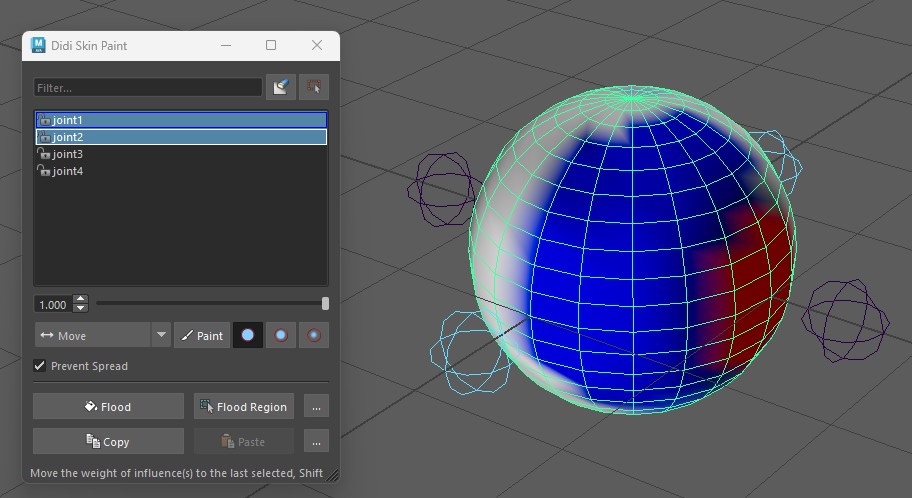
This paint tool can Average skinning for all vertices in the projected stamp for more aggressive smoothing, can Smooth based on bind pose distance between neighbor vertices, can Move influence only from one or more influences to a target influence, and has powerful multi-select influence support that does the operation only for the selected influences, and can prevent the spread of influence to new vertices. It can also flood or copy or paste to a soft selection, can filter the influence list to what is being used in the area, and flood based on a marque drawn over the mesh.
Skin Transfer Tool
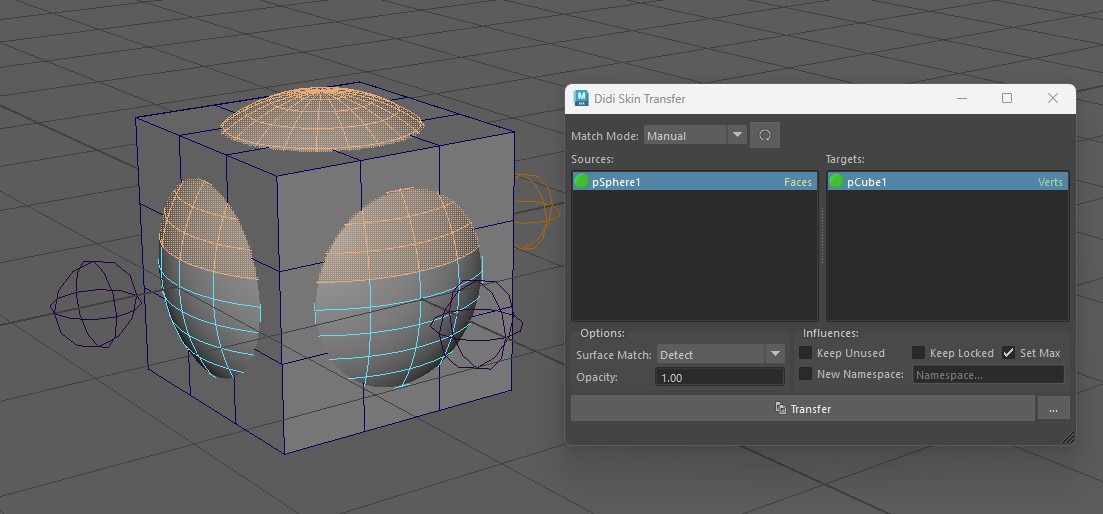
This skin transfer tool supports in-scene transfers and from saved skin files. It supports only using a source face selection, and can only transfer to a given soft selection... both are extremely powerful when dealing with combined meshes, or wanting to transfer between overlapping meshes. The support for soft selection also means less cleanup. It also uses n-gon barycentric weights instead of only triangle based weights for better transfers, and allows for influence remapping. It can also recreate the mesh and skinning from saved files. Transfers are also extremely fast.
Display Layers Tool
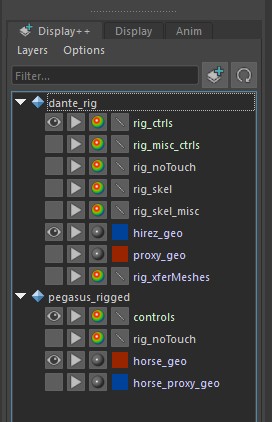
A better way to show and manage Maya's display layers. It can group layers by namespace or reference, supports multi-selection for mode changes, can show a custom icon for references, and can filter which layers are shown with a text filter.
Anim Export Tool
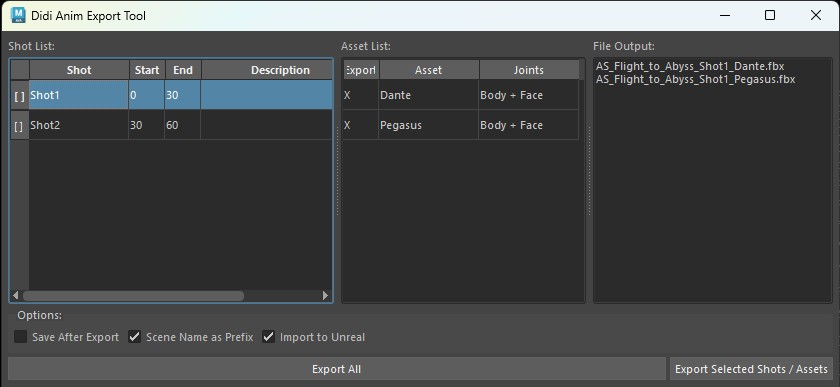
Allows the user to export multiple different time ranges and characters within the same maya scene. Used during cinematic scene and shot layout, or for gameplay to export multiple anims from a single scene. Often special support was added for controlling things like root motion in Unreal, exported joints, exported assets, and even Maya batch mode export to speed up exports of complex scenes. The complex exports would only load required references for the best performance.
Retarget Tool
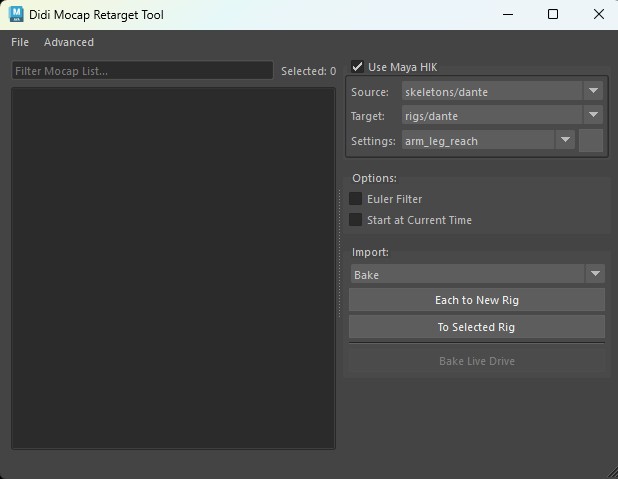
Bring animation from an fbx/skeleton back onto the rig. Supports Maya's HIK retargeting with reach and retarget presets. Supports Xsens, or from M -> F or vica versa, can assemble a scene based on character outfits or rigs defined at the mocap stage or be manually set. Handles various types of off-axis rotations on the elbow and knee. Also can "live" drive before baking to allow the animator to find the best settings and do global position adjustments like feet / floor contact.
Reference Tool
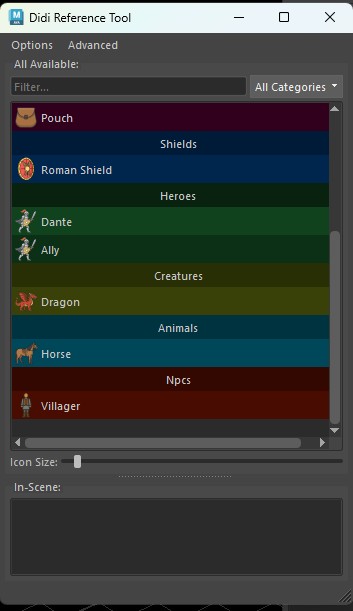
Viewer that shows available rigs for animation to reference, including optional faces. As well as skeletons for skinned mesh scenes, environmental USD or a GPU caches, or set pieces, props, animals etc. All paths can be changed at any time and will automatically propagate to all existing scenes, which allows for renaming or file structure changes without needing a batch on the DCC side.